Ensuring Regulatory Compliance With ERP Systems for Growing Businesses
CFOs and Compliance Officers are operating in a zero-margin environment when it comes to regulatory risk. One reporting error. One data handling...

15 min read
Tom Zargaj
:
March 20, 2026
According to research from Gartner, by 2027, more than 70% of recently implemented ERP initiatives will fail to fully meet their business use case goals. These failures are not simply the result of technical missteps or missed deadlines. They often stem from a lack of clarity, insufficient preparation, and communication gaps that ripple through every phase of the project.
When teams approach ERP implementation as a holistic business initiative—one that requires attention to data, people, processes, and vendor relationships—they are far more likely to achieve the outcomes they envision.
This guide covers:
P.S. ERP implementation is a complex journey that demands careful planning, clear communication, and expert support. Centium’s ERP implementation support service is built to help organizations navigate every phase, from initial planning to post-launch optimization. Our approach combines proven methodology, industry experience, and a focus on business outcomes. Contact us for implementation support to ensure your ERP project delivers measurable value and avoids the setbacks that can undermine even the best intentions.
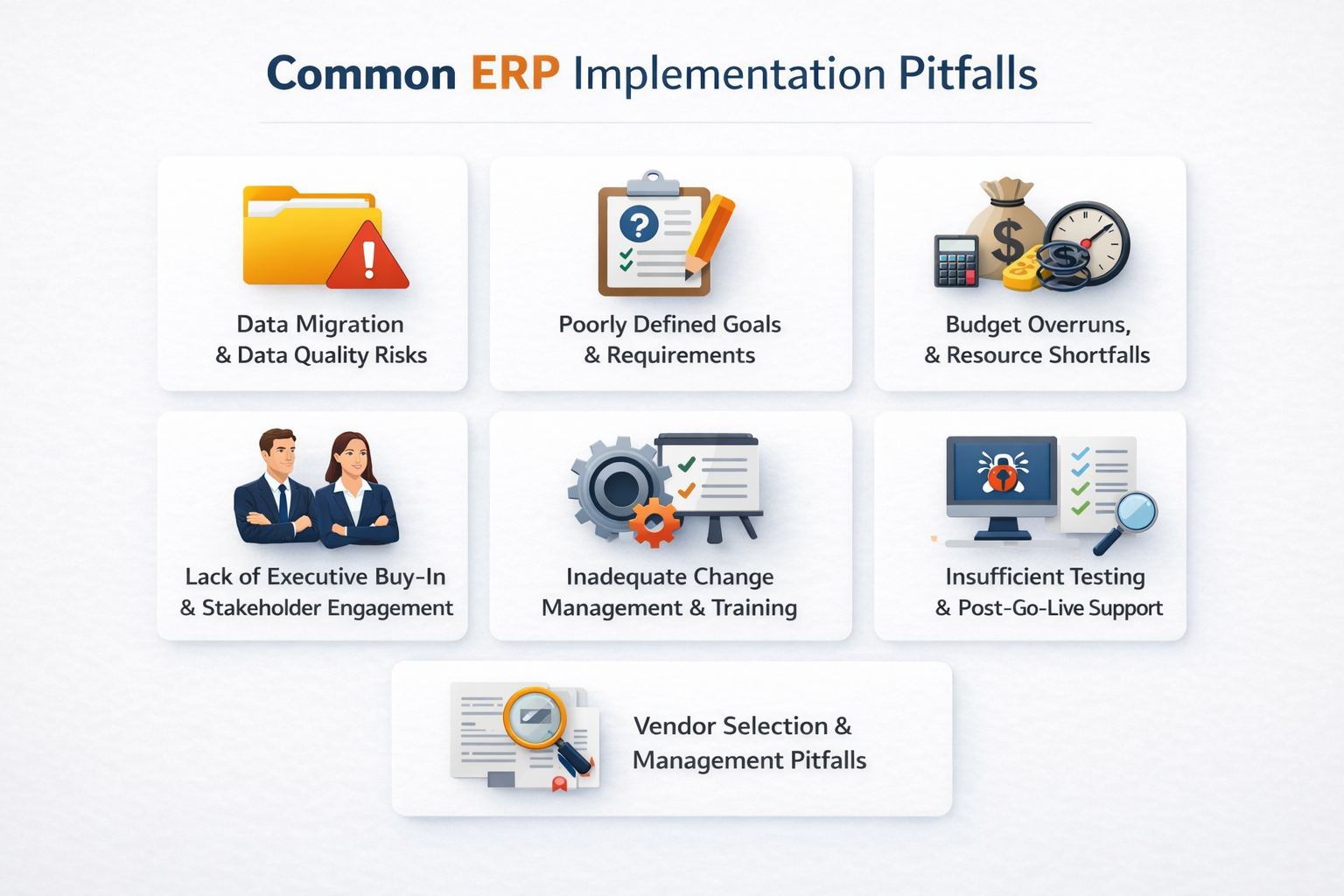
| Pitfall | Impact | How to Avoid It |
|---|---|---|
| Migrating Unclean Data | Inaccurate reporting, operational errors, and costly rework can undermine the new ERP system from day one. | Begin with a thorough data audit, cleanse legacy data, validate for accuracy, and map fields to the new ERP structure. Involve both IT and business users in the process to ensure data integrity. |
| Weak Executive Buy-In | Projects stall, priorities shift, and teams lack direction when leadership is not visibly engaged. | Secure ongoing executive sponsorship, establish clear governance, and keep leadership involved in key milestones and decisions throughout the implementation process. |
| Vague Goals and Requirements | The ERP solution may not fit business needs, leading to missed objectives and wasted investment. | Conduct detailed business analysis, involve stakeholders early, and document specific, measurable goals for the ERP project. Use these as a north star for all decisions. |
| Inadequate Change Management | Resistance to change, low adoption, and morale issues can slow or even reverse progress. | Launch change management initiatives early, communicate the “why” behind the new ERP, and provide continuous training and support to all users. |
| Budget Overruns and Scope Creep | Unplanned costs and delays can threaten the entire project’s viability. | Build a realistic budget with contingency, monitor scope closely, and implement a formal change order process for any additions or modifications. |
| Insufficient Testing | Critical errors may go undetected until after go-live, causing disruptions and user frustration. | Develop a comprehensive testing plan, including unit, integration, and user acceptance testing. Involve end users in testing and refining processes before launch. |
| Poor Vendor Management | Lack of support, missed deadlines, and unresolved issues can derail the implementation. | Choose vendors with relevant industry experience, set clear expectations, and maintain regular communication. Hold vendors accountable for deliverables and support. |
| Lack of Post-Go-Live Support | Users may struggle to adapt, and the system’s value may plateau or decline. | Plan for ongoing support, training refreshers, and continuous improvement initiatives to keep the ERP system aligned with evolving business needs. |
ERP projects are often launched with high expectations, but the reality is that many struggle to deliver on their promise. The reasons for project failure are rarely limited to technology alone. In many ERP implementation cases, the root causes are found in the early stages of planning, where assumptions go unchallenged and critical details are overlooked.
For example, teams may underestimate the complexity of migrating data from legacy systems, or they may fail to involve key stakeholders in defining requirements. As the ERP implementation project progresses, communication gaps, shifting priorities, and resistance to change can further complicate the path to a successful ERP implementation.
When these issues are not addressed, they can lead to missed milestones, budget overruns, and ultimately, a system that does not meet the needs of the business. Recognizing these risks early and building a plan to address them is essential for any organization seeking to avoid common ERP implementation pitfalls.

Successful implementation is built on a foundation of clear goals, thorough preparation, and ongoing collaboration. Each of the pitfalls below represents a point where projects often falter, but with the right approach, these risks can be managed and overcome.
Migrating data from legacy systems into a new ERP environment is a process that demands precision, planning, and cross-functional collaboration. Many organizations underestimate the complexity involved, assuming that exporting and importing records is a straightforward task. In reality, legacy data often includes outdated customer profiles, duplicate vendor entries, inconsistent product codes, and incomplete transaction histories.
If these issues are not addressed before migration, the new ERP system can inherit and even amplify existing problems, leading to inaccurate financial statements, inventory discrepancies, and operational slowdowns.
To ensure a smooth transition, organizations should:
Read Next: NetSuite ERP Data Migration Best Practices
ERP projects require visible, ongoing support from executive leadership and active engagement from stakeholders across the organization. When leaders are not involved, projects can lose momentum, and teams may struggle to resolve competing priorities.
Stakeholder engagement is equally important, as ERP systems touch nearly every business function. Without broad input, requirements may be incomplete, and resistance to change can grow.
Read Next: How to Overcome 6 Common ERP Implementation Challenges
A lack of clarity in project goals and requirements is a leading cause of ERP implementation failure. When objectives are vague or requirements are incomplete, the system may not address real business needs, leading to costly rework and low adoption.
The process of defining goals and requirements should be structured and inclusive, drawing on input from every department that will use the ERP system.
Use process mapping tools to document current workflows, identify pain points, and specify desired outcomes. For example, if the goal is to improve reporting, specify which reports are needed, who will use them, and what decisions they will support.
| Requirement Area | What to Document | Why It Matters | How to Execute |
|---|---|---|---|
| Business Processes | Process maps, workflow diagrams, and step-by-step task lists for each department | Ensures the ERP system supports real-world operations and eliminates manual workarounds | Use tools like Visio or Lucidchart to create diagrams. Validate with end users and update as processes evolve. |
| Reporting Needs | List of required reports, sample layouts, and data sources | Provides clarity on what insights are needed for decision-making | Gather examples of current reports and identify gaps. Involve business analysts in designing new reports. |
| Compliance Requirements | Regulatory standards, audit trails, and electronic signature needs | Reduces risk of non-compliance and supports audits | Consult with legal and compliance teams. Document requirements in a shared repository. |
| Integration Points | Systems to connect (CRM, SCM, payroll), data flows, and frequency | Prevents data silos and manual reconciliation | Map data flows and specify integration methods (APIs, file transfers). Test integrations before go-live. |
| User Roles and Permissions | Role descriptions, access levels, and approval workflows | Protects sensitive data and supports internal controls | Use role-based access control (RBAC) models. Review with IT security and business owners. |
| Scalability and Growth | Future business scenarios, such as new locations or product lines | Ensures the ERP system can adapt as the business evolves | Document anticipated changes and review with the vendor for solution fit. |
| Documentation Standards | Templates for meeting notes, decision logs, and change requests | Preserves knowledge and supports future enhancements | Store documents in a shared, version-controlled repository. Assign responsibility for updates. |
Read Next: The Ultimate NetSuite Implementation Guide 2025
Change management is a critical, yet often overlooked, component of ERP implementation. Introducing a new ERP system means changing how people work, make decisions, and interact with business processes. Employees may feel uncertain about new workflows, fear job changes, or worry about increased transparency.
To address these concerns, organizations should launch change management initiatives before implementation begins. Communicate the reasons for adopting a new ERP system, the benefits it will bring, and the support available to help users adapt.
Training should be tailored to different roles and learning styles, with opportunities for hands-on practice and ongoing refreshers. For example, provide scenario-based training for finance teams on closing the books in the new system, or interactive workshops for warehouse staff on inventory management. Offer user guides, video tutorials, and a help desk for ongoing support. Use surveys and feedback sessions to identify areas where users need additional help, and adjust training programs accordingly.
By fostering a culture of learning and openness, teams can reduce resistance, build confidence, and unlock the full benefits of their ERP investment.
Read Next: NetSuite Support Services and Training Costs: A Guide for Long-Term Success
ERP projects are complex and resource-intensive, making them susceptible to budget overruns, scope creep, and staffing challenges. These risks can be managed with disciplined planning and transparent communication.
Read Next: NetSuite ERP Implementation Checklist: Avoid Costly Mistakes & Stay on Track
Testing is the safety net that catches errors before they impact daily business operations. In ERP projects, skipping or rushing through testing phases can leave critical issues undiscovered until after go-live, when fixes are more disruptive and costly.
A robust testing strategy validates that the system works as designed and also ensures that business processes, integrations, and reporting functions perform reliably under real-world conditions.
A comprehensive approach to ERP testing should include:
After go-live, support should not taper off. Establish a help desk with clear escalation paths, offer refresher training sessions for new features or process changes, and schedule regular system health checks. Collect user feedback through surveys and support tickets to identify recurring pain points and prioritize enhancements.
Selecting and managing the right ERP vendor is a foundational decision that shapes the entire implementation experience. The process begins with evaluating vendors based on their experience in your industry, their ability to support your business’s ERP operations, and their track record with similar projects.
| Vendor Management Focus | What to Evaluate | Why It Matters |
|---|---|---|
| Industry Experience | Vendor’s history with similar businesses, relevant case studies, and references | Ensures the vendor understands your business context and can anticipate challenges |
| Communication Practices | Frequency, format, and transparency of updates | Keeps the project on track and surfaces issues early |
| Contract Clarity | Defined deliverables, timelines, and escalation paths | Reduces risk of misunderstandings and missed deadlines |
| Support Model | SLAs for response times, escalation, and issue resolution | Ensures timely help when issues arise |
| Customization and Integration | Ability to support required changes and connect with other systems | Prevents costly workarounds and manual processes |
| Training and Documentation | Quality and accessibility of user guides, training sessions, and support resources | Supports user adoption and system effectiveness |
| Post-Go-Live Support | Availability of updates, troubleshooting, and enhancement services | Maintains system value and user satisfaction |
| Strategic Alignment | Vendor’s involvement in business planning and continuous improvement | Ensures the ERP system evolves with your business |
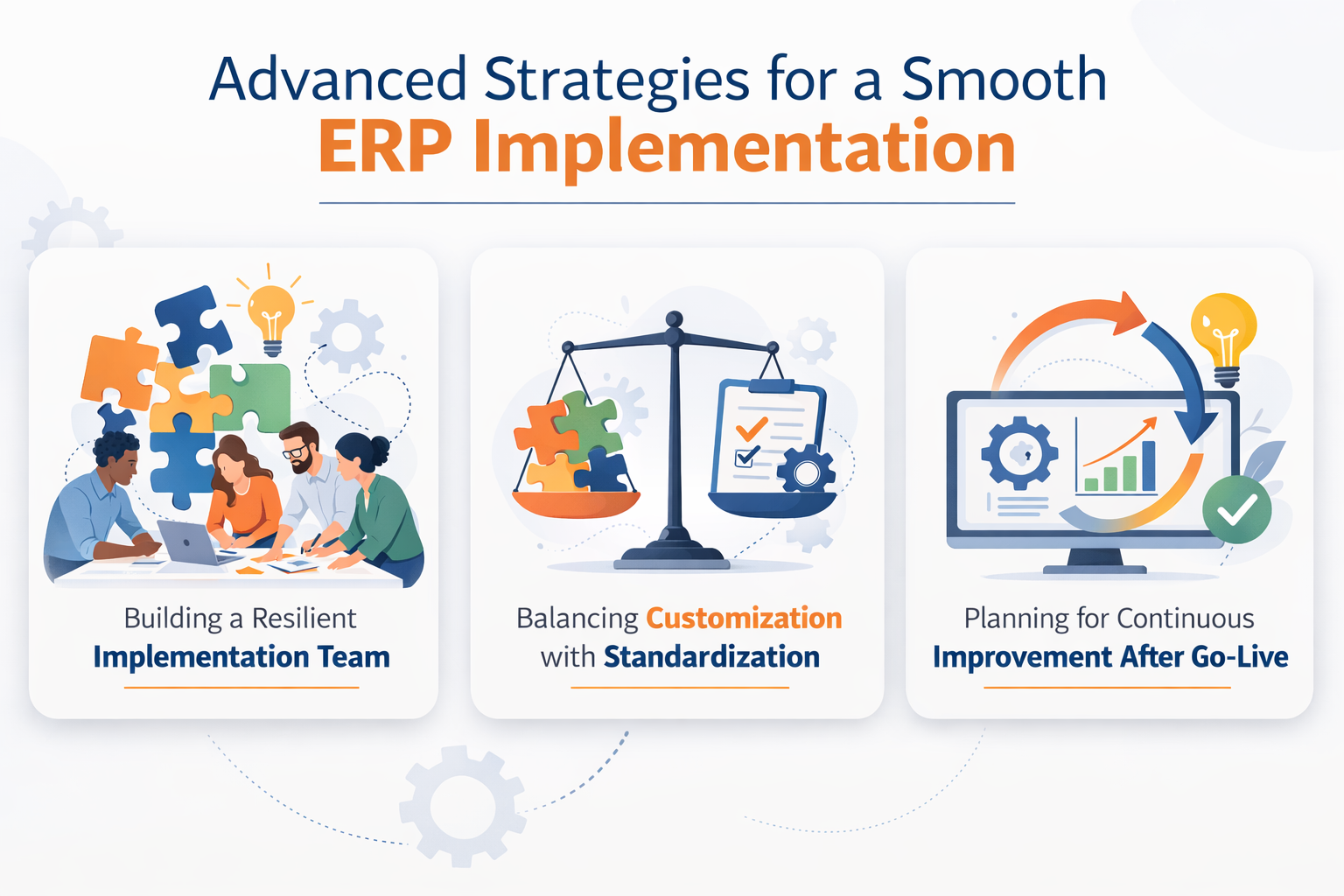
A smooth ERP rollout is the result of careful planning, disciplined execution, and a willingness to adapt as new challenges arise. The strategies below can help organizations build resilience and sustain momentum throughout the project lifecycle.

The composition and empowerment of your ERP project team can determine whether your implementation achieves its goals or falls short. A resilient team is not just a collection of technical experts; it’s a group that blends operational insight, cross-departmental collaboration, and the authority to make decisions that stick.
For example, including a finance manager who understands the nuances of revenue recognition, or a warehouse supervisor who can spot inefficiencies in inventory transfers, ensures that the system is designed to support real business needs rather than theoretical workflows.
To build this kind of team, start by selecting members who are both knowledgeable and influential within their departments. Their credibility will help drive adoption and resolve resistance. It’s also important to free up their time so they can focus on the ERP project without being constantly pulled back into daily operations. This may mean temporarily backfilling their roles or redistributing routine tasks.
Once the team is in place, clarify roles and responsibilities using a RACI matrix, so everyone knows who is responsible for each deliverable and who needs to be consulted or informed. Regular project meetings and open communication channels help surface issues early and keep everyone aligned.
Empowering the team to make process and configuration decisions reduces bottlenecks and accelerates progress. Finally, support ongoing learning by providing access to ERP certification courses or workshops on change management, which can help the team stay sharp and adaptable as the project evolves
Every ERP project faces the challenge of deciding when to adapt business processes to the software and when to tailor the software to fit unique requirements. Excessive customization can drive up costs, complicate upgrades, and introduce new risks, while rigid standardization may force teams into inefficient workarounds. The key is to approach this decision with a structured, business-driven mindset.
The launch of an ERP system marks a significant milestone, but the real value emerges when organizations commit to ongoing refinement and adaptation. Continuous improvement is not just about fixing issues as they arise; it’s about proactively seeking ways to optimize processes, enhance user experience, and ensure the ERP system evolves alongside business goals.
| Continuous Improvement Focus | How to Execute | Why It Matters |
|---|---|---|
| User Feedback Loops | Gather input from users through quarterly surveys, focus groups, and analysis of help desk tickets. | Direct feedback uncovers recurring pain points, usability issues, and enhancement opportunities that may not be visible to IT or leadership. |
| KPI Monitoring | Track metrics such as order-to-cash cycle time, inventory accuracy, and user adoption rates. | KPIs provide objective evidence of system effectiveness and highlight areas where processes or training may need adjustment. |
| Training Refreshers | Offer annual workshops, e-learning modules, and targeted “lunch and learn” sessions for new features or common challenges. | Ongoing training keeps users confident, reduces errors, and ensures adoption of new capabilities as the system evolves. |
| Process Reviews | Conduct annual walkthroughs of critical business processes, such as procurement, month-end close, or customer returns. | Regular reviews ensure the ERP system continues to support current business needs and regulatory requirements, and help identify bottlenecks or outdated steps. |
| System Upgrades & Enhancements | Plan for regular software updates, security patches, and the rollout of new ERP features. | Staying current with upgrades maintains system security, performance, and compliance, while also unlocking new efficiencies. |
Read Next: How to Overcome 6 Common ERP Implementation Challenges
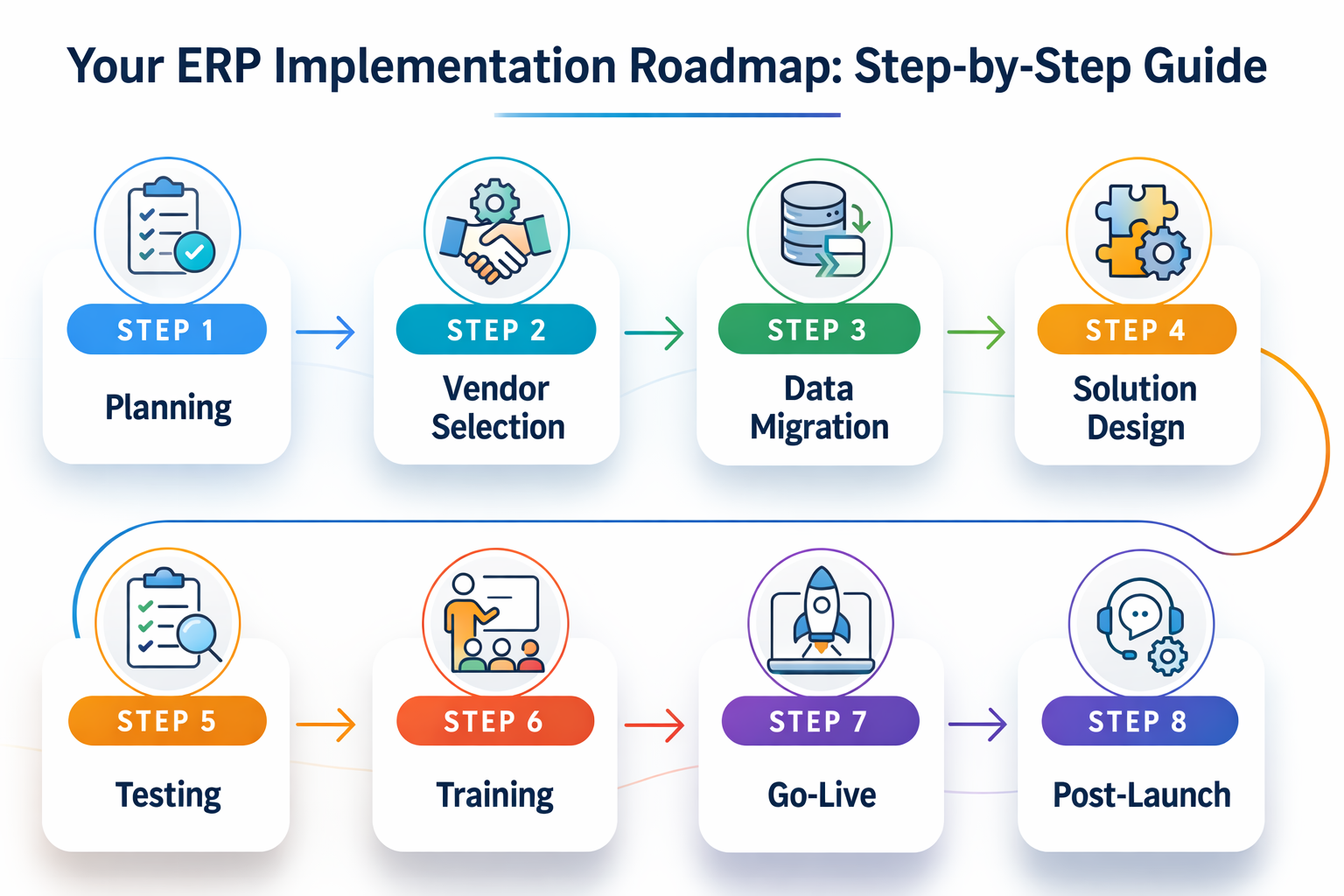
A well-structured roadmap is the backbone of a successful ERP implementation. Each phase requires specific actions, clear documentation, and a focus on both technical and business outcomes. By breaking the project into manageable stages, organizations can reduce risk, maintain momentum, and ensure that every milestone delivers measurable value.

| Phase | Key Actions | Pitfalls to Avoid |
|---|---|---|
| Planning | Define project scope, set measurable goals (e.g., “reduce month-end close from 10 to 5 days”), and identify success criteria. Assemble a cross-functional team and secure executive sponsorship. | Starting without clear objectives or stakeholder alignment can lead to confusion and missed requirements. |
| Vendor Selection | Develop a requirements checklist, issue RFPs, and evaluate vendors based on industry experience, support model, and references. Negotiate contracts that specify deliverables, timelines, and penalties for delays. | Choosing a vendor based solely on price or generic features may result in poor support or misaligned solutions. |
| Data Migration | Inventory all data sources, cleanse and standardize records, and map fields to the new ERP. Run multiple test migrations and validate results with business users. | Migrating unclean or incomplete data can undermine the new system and require costly rework. |
| Solution Design | Map business processes using tools like Visio, define detailed requirements, and configure the ERP to support workflows such as purchase-to-pay or order-to-cash. Document integration points with other systems. | Overlooking integration needs or failing to involve end users can result in gaps and inefficiencies. |
| Testing | Develop test scripts for unit, integration, and user acceptance testing. Include scenarios like processing a customer return, running payroll, or generating compliance reports. Track defects and retest after fixes. | Skipping or compressing testing phases increases the risk of post-go-live disruptions. |
| Training | Create role-based training materials, offer hands-on practice sessions, and provide user guides and video tutorials. Schedule Q&A sessions and set up a help desk for ongoing support. | Inadequate training can lead to low adoption, errors, and resistance to change. |
| Go-Live | Execute a detailed cutover plan, including data validation, user access setup, and contingency procedures. Monitor system performance and provide immediate support to users. | Failing to plan for contingencies or communicate clearly can cause confusion and operational delays. |
| Post-Launch | Establish a help desk, schedule regular feedback sessions, and initiate continuous improvement initiatives. Review KPIs and process performance quarterly. | Neglecting post-go-live support can result in declining system value and user frustration. |
ERP implementation is a significant undertaking, but with careful preparation and a commitment to continuous improvement, organizations can achieve lasting results. By focusing on data quality, stakeholder engagement, clear requirements, and robust change management, teams can lay the groundwork for a smooth rollout and long-term success.
Continuous improvement, supported by regular feedback and training, ensures that the ERP system remains aligned with evolving business needs. The journey may be complex, but a proactive, strategic approach can help organizations realize the full benefits of their ERP investment.
Centium's ERP implementation support service is designed to help organizations navigate every phase of the ERP journey, from planning and vendor selection to post-go-live optimization. Contact us for implementation support to gain expert guidance and ensure your ERP project delivers sustainable results.
ERP implementations often fail due to a combination of technical and organizational factors. Common reasons include migrating unclean or incomplete data, lack of executive sponsorship, poorly defined goals, inadequate change management, budget overruns, insufficient testing, and weak vendor management. Addressing these risks early and maintaining a holistic approach throughout the project can significantly improve the chances of success.
Successful data migration requires a thorough audit of legacy data, cleansing and validation to remove duplicates and errors, and careful mapping to the new ERP system’s structure. Multiple rounds of testing, involving both IT and business users, help ensure that migrated data supports business processes and reporting needs. Ongoing monitoring after go-live can catch any lingering issues.
Change management is critical for driving user adoption and minimizing resistance. It involves clear communication about the reasons for the new ERP system, the benefits it will bring, and the support available to help users adapt. Comprehensive training, ongoing support, and opportunities for feedback help build confidence and foster a culture of continuous improvement.
Selecting the right ERP vendor involves evaluating their industry experience, solution fit, support capabilities, and track record with similar projects. Detailed contracts, clear communication, and well-defined service level agreements are essential for ensuring accountability and support throughout the implementation process.
Controlling ERP project costs starts with building a comprehensive budget that includes all anticipated expenses and a contingency buffer. Monitoring scope, using a formal change order process, allocating dedicated resources, and regularly reviewing progress against milestones help keep costs in check. Evaluating the business value of customizations and reviewing vendor contracts also contributes to cost control.
ERP implementation success can be measured by tracking key performance indicators (KPIs) such as system adoption rates, process efficiency improvements, data accuracy, and achievement of business objectives defined at the outset. Regular feedback from users, ongoing training, and continuous improvement initiatives help sustain success over time.
CFOs and Compliance Officers are operating in a zero-margin environment when it comes to regulatory risk. One reporting error. One data handling...

What separates a NetSuite ERP implementation that accelerates growth from one that derails it? Enterprise resource planning (ERP) projects can make...