1 min read
NetSuite OneWorld for Global Business Management and Multi-Entity Growth
Managing a global business requires more than spreadsheets and regional accounting tools. Every time you expand into a new country, you take on new...

15 min read
Tom Zargaj
:
Updated on April 22, 2026
Year-end close pressure increases when reporting delays, unreconciled balances, and period restrictions converge in the same window.
The workflow must account for several key factors: the status of accounting periods (open, locked, or closed), mismatches between transaction dates and posting periods, how retained earnings are calculated and rolled forward, and NetSuite’s functionality of automatically closing the fiscal year once all periods within that year are closed. Without that sequence, financial statements can shift after approval, retained earnings balances can appear incorrect, and closed period restrictions can arrive too late to prevent reporting drift.
The stakes are highest when year-end financial reports support audits, board presentations, or regulatory filings. A weak close process creates opportunities for late entries, incomplete eliminations, or missed currency revaluations that can distort the balance sheet and income statement. The goal is to reach final close with confidence that every report reflects the last approved balances and that closing the books locks the reporting package in place.
This guide covers:
P.S. Year-end reporting pressure often reveals gaps in period controls, reporting workflows, and close-task coordination. Centium provides NetSuite Consulting Services to help organizations strengthen implementations through project planning, process review, and system optimization. Schedule a year-end preparation support consultation to review your close workflow and reporting setup
Schedule a year-end preparation support consultation to confirm your reporting workflow is ready for final close.
|
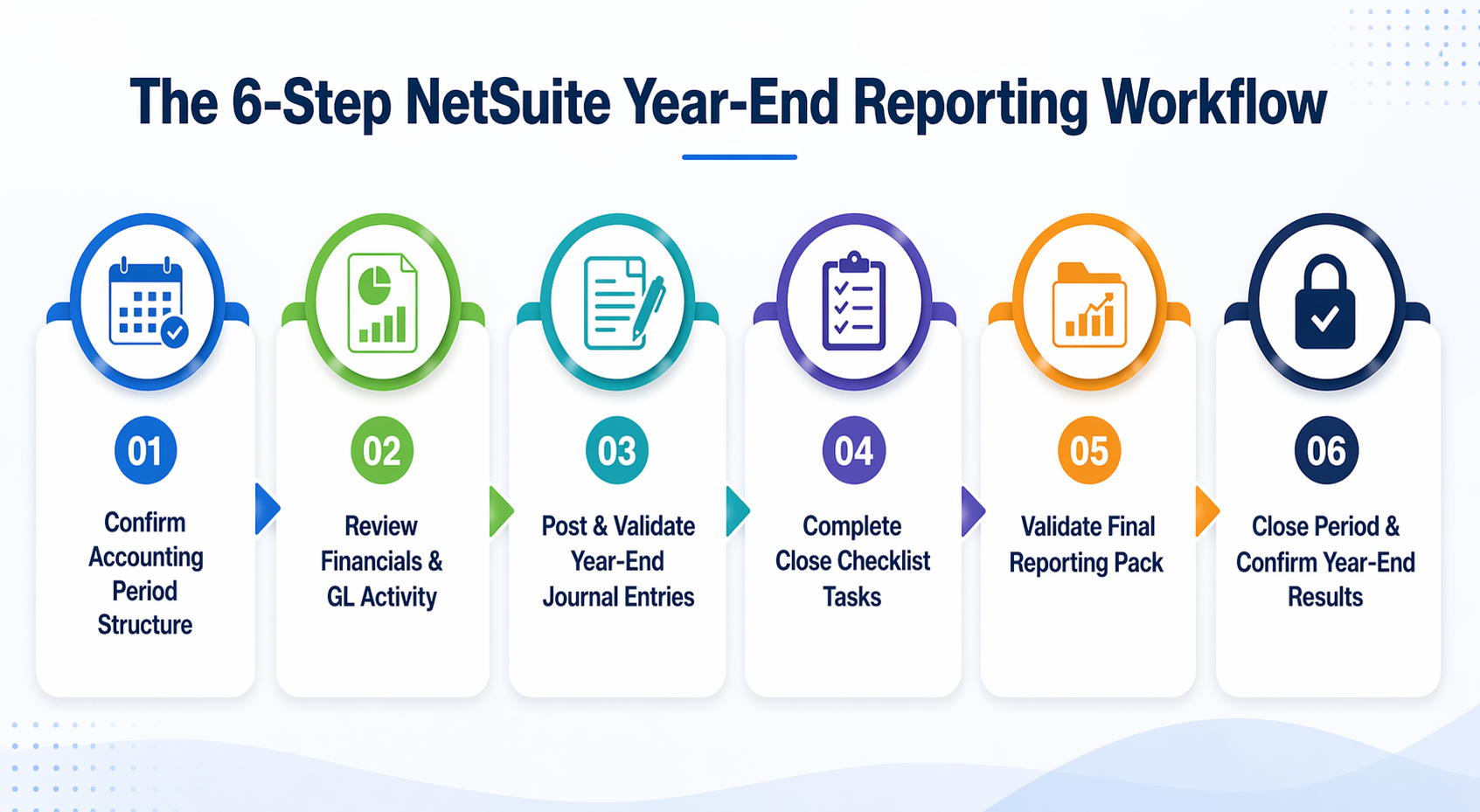
Close Stage |
Required Action |
|---|---|
|
Period Structure Confirmation |
Verify fiscal year and base periods on the manage accounting periods page before starting year-end reporting work to prevent period framework errors. |
|
Core Report Review |
Review balance sheet accounts, income statement anomalies, GL detail, and material journal entries to surface exceptions before restriction settings tighten. |
|
Journal Entry Validation |
Post and validate year-end journal entries, confirm approval status, inspect posting logic, assign reversals, and review audit trail before sign-off. |
|
Checklist Task Completion |
Lock A/R, lock A/P, review inventory costing, reevaluate currency balances, and eliminate intercompany activity to complete close dependencies. |
|
Final Reporting Pack Validation |
Rerun trial balance, financial statements, open-item reports, and exception searches after late entries or checklist actions to confirm release readiness. |
|
Period Close And Confirmation |
Close the period, confirm NetSuite automatically closes the fiscal year, and verify retained earnings movement and final financial statement output. |
Year-end reporting in NetSuite requires a controlled sequence that separates review, restriction, close-task completion, and final validation. The workflow must account for accounting period status, journal entry controls, period close checklist dependencies, and the system behavior that automatically closes the fiscal year after all periods are closed.
Without that sequence, financial reports can shift after approval, retained earnings balances can appear incorrect, and closed period restrictions can arrive too late to prevent late balance changes.

Period structure mistakes distort downstream reporting and close timing before any year-end work begins. The fiscal year and base periods must be verified on the manage accounting periods page to confirm the correct accounting period is open and that the period framework matches the organization's fiscal calendar.
Errors here can leave year-end reporting work posted to the wrong period, create mismatches between transaction date and posting period, or prevent the system from recognizing when all periods in the fiscal year are closed.
Start by reviewing the fiscal year definition and confirming that all accounting periods are visible and correctly sequenced. Then verify that the current period is open and that prior periods are locked or closed as expected. If the fiscal year structure does not match the organization's calendar, year-end reporting will begin in the wrong period framework, and closing the books will not trigger the automatic year-end close behavior NetSuite provides.
Most year-end reporting problems surface during core report review before restriction settings tighten. The balance sheet, income statement, GL detail, and material journal entries should be reviewed together to identify what to compare, which exceptions matter, and what actions follow when balances do not tie out.
This step catches unreconciled accounts, unusual activity, incomplete accruals, and posting errors that would otherwise distort final financial statements.
|
Report Or Record |
What To Review |
Common Year-End Issue |
Required Follow-Up |
|---|---|---|---|
|
Balance Sheet |
Account-level ending balances, intercompany balances, and non-equity balance sheet accounts |
Unreconciled accounts, missing eliminations, or incorrect currency balances |
Trace to supporting schedules, post correcting journal entries, or escalate to accounting leadership |
|
Income Statement |
Revenue, expense, and net income totals by department or subsidiary |
Unexpected variances, incomplete revenue recognition, or missing accruals |
Review transaction detail, confirm posting period accuracy, and post adjusting entries before close |
|
GL Detail |
Transaction-level activity by account, including dates included in the period |
Posting mismatches, duplicate entries, or transactions in a closed period |
Correct transaction date and posting period mismatches, reverse duplicates, and document exceptions |
|
Material Journal Entries |
Large or unusual entries posted near period end, including elimination journal entries |
Unapproved entries, missing reversals, or entries that bypass normal approval workflows |
Confirm approval status, assign reversals to the proper next period, and review audit trail for edited entries |
Compare balance sheet accounts to supporting schedules and prior-period balances to confirm that the retained earnings balance and other non-equity balance sheet accounts tie out.
Review income statement accounts to confirm that revenue and expense totals match expectations and that net income reflects all posted activity. In addition, inspect GL detail for transactions that do not follow expected posting logic, including items where the transaction date and posting period do not align, as these may distort reporting.
Journal entry controls most often change reported results late in the close process. Year-end journal entries must be posted, approved, and validated before final reporting begins, because unapproved entries can still change balances, posting logic errors can distort financial statements, and reversing entries assigned to the wrong period can create carryover issues in the next fiscal year.
Accruals and Reclassifications: Confirm that all required journal entries are posted and supported by documentation that ties to the balance sheet and income statement. Missing accruals leave revenue or expense balances incomplete, and unsupported reclassifications create audit trail gaps that complicate year-end review.
Approval Status: Identify unapproved entries that could still change balances before closing the books. NetSuite requires the acknowledgement of approval workflows in many environments, and entries that bypass those workflows can distort final financial reports without triggering review alerts.
Posting Logic: Inspect transaction date and posting period consistency to confirm that entries are posted to the correct accounting period. A mismatch between transaction date and posting period affects reporting accuracy even when the entry itself is correct, because the transaction may appear in the wrong period's financial statement output.
Reversals: Confirm that reversing entries are assigned to the proper next period so that accruals do not carry forward incorrectly. Reversals posted to the wrong period create duplicate expense or revenue recognition that distorts the income statement in the following fiscal year.
Audit Trail: Review edited, reversed, or deleted entries that require follow-up before sign-off. The audit trail should capture who made the change, when the change occurred, and whether the change was approved through normal workflows. Entries that were edited after initial posting or deleted without documentation create compliance risk during year-end review.
Period close checklist tasks are critical to year-end reporting accuracy and close readiness. They lock period activity, finalize costing, revalue foreign currency balances, and complete intercompany eliminations. These tasks must be finished before final reporting begins, because unfinished close steps can leave the reporting package unstable even when all journal entries have been posted and approved.
Lock A/R: Restrict receivables activity at the right point in the close process to prevent late invoices, credit memos, or payment applications from changing the aged AR report or balance sheet accounts. Locking A/R does not prevent all transaction posting, but it does restrict the most common sources of late balance changes in receivables.
Lock A/P: Restrict payables activity once payables review is complete to prevent late vendor bills, bill credits, or payment postings from distorting the aged AP report or expense balances. Locking A/P should occur after all expected vendor invoices are posted and after payables reconciliation is complete.
Review Inventory Costing: Confirm that costing calculations do not remain incomplete before final reporting begins. Incomplete costing leaves inventory balances and cost of goods sold amounts incorrect on the balance sheet and income statement, and those errors often do not surface until after the period is closed.
Reevaluate Currency Balances: Run and review foreign currency reevaluation before final reporting to confirm that currency balances reflect current exchange rates. Currency revaluation affects both balance sheet accounts and net income, and skipping this step leaves financial statements incorrect in multi-currency environments.
Eliminate Intercompany Activity: Confirm that elimination journal entries are complete where relevant to prevent intercompany balances from distorting consolidated financial reports. Incomplete eliminations leave receivables, payables, revenue, and expense balances overstated on the consolidated balance sheet and income statement.
The reporting package must be refreshed and verified before final close to confirm that all reports used for sign-off were generated after the last balance-changing activity. Late entries, checklist actions, or journal entry corrections can invalidate prior report reviews, and closing the books without refreshing the reporting package can result in stakeholders approving outdated financial statements.
Trial Balance: Confirm account-level ending balances before the final step to ensure that the trial balance ties to the balance sheet and income statement. The trial balance should reflect all posted journal entries, all completed checklist tasks, and all currency revaluation adjustments before the period is closed.
Financial Statements: Rerun the balance sheet and income statement after late entries or checklist actions to confirm that reported balances match the final trial balance. Financial statements exported before the last journal entry posted or before currency revaluation was completed do not reflect the final reporting package.
Open-Item Reports: Clear aged AR, aged AP, and other unresolved items that still affect reporting before final sign-off. Open items that remain unresolved after the close deadline create carryover issues in the next fiscal year and distort the accuracy of year-end financial reports.
Exception Searches: Review posting mismatches, incomplete approvals, and unusual transaction activity to identify issues that require correction before closing the books. Exception searches should capture transactions with transaction dates outside of posting period settings, unapproved journal entries, and transactions posted to closed periods that bypassed normal restrictions.
Release Readiness: Confirm that reports used for sign-off were run after the last balance-changing action and that no late entries, checklist tasks, or journal entry corrections remain incomplete. Release readiness requires a final timestamp check to ensure that the reporting pack reflects the final state of the general ledger before the period is closed.
Closing a period prevents posting to the period and locks the financial statement output for that accounting period. NetSuite automatically closes the fiscal year after all periods in the fiscal year are closed, which triggers the system to post the balance to retained earnings and reset income statement accounts to zero for the next fiscal year. The final step is to close the period and confirm that the retained earnings movement and the final financial statement output match expectations.
After closing the period, verify that the retained earnings account reflects the correct net income transfer and that the income statement accounts show zero balances for the new fiscal year. Review the balance sheet to confirm that non-equity balance sheet accounts remain unchanged and that the cumulative retained earnings balance ties to prior year retained earnings plus current year net income. If the retained earnings balance looks wrong after closing the books, trace the issue back to incomplete income statement close behavior, missing journal entries, or prior period adjustments that were not posted before the close.
Confirm that the period status on the manage accounting periods page shows "Closed" for all periods in the fiscal year and that the fiscal year itself is marked as closed. Once the fiscal year is closed, transactions cannot be posted to any period in that fiscal year without reopening the period, which requires administrator access and creates audit trail complications.
Read Next:
NetSuite Financial Management Modules: Everything Finance Teams Need To Know
Essential NetSuite ERP Features For Accounting & Financial Reporting
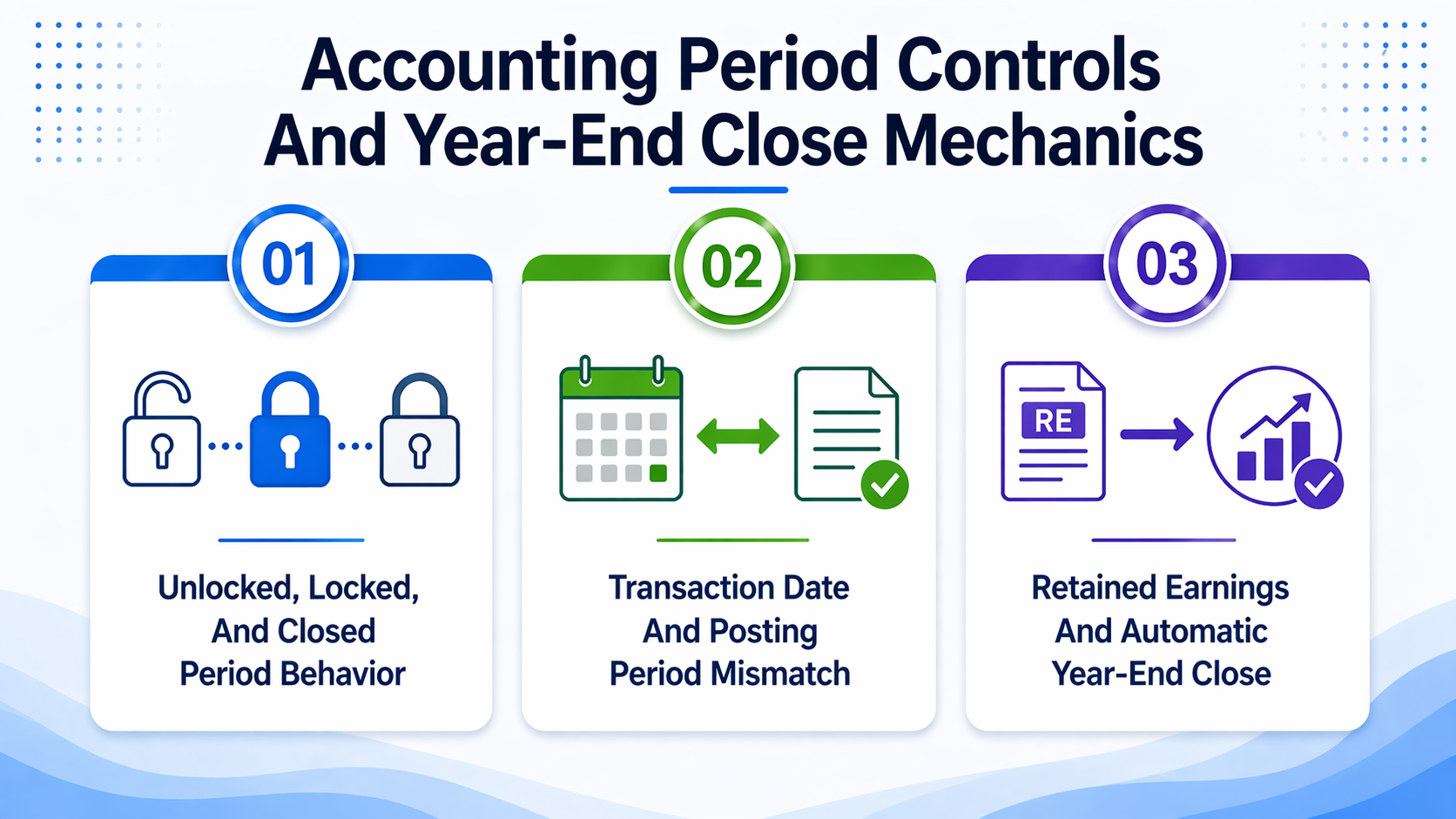
System controls and period settings determine whether financial reports remain stable during the close process. Accounting period status, transaction date versus posting period mismatches, and retained earnings handling all affect whether financial statements can still change after review is complete. Understanding these mechanics helps prevent late balance changes, reporting drift, and sign-off errors that can invalidate prior validation work.

Period status determines which actions can still change balances and which restrictions fully prevent posting. Unlocked periods allow full transaction activity, locked periods restrict most posting but still permit certain exceptions, and closed periods prevent posting except through administrator override. This distinction matters because locking a period does not guarantee that balances are final, and closing a period does not prevent all edits if override access remains enabled.
|
Period Status |
Transactions Allowed |
Journal Entry Impact |
Reporting Consequence |
|---|---|---|---|
|
Unlocked |
All transaction types can be posted, edited, or deleted |
Journal entries can be created, edited, approved, or reversed without restriction |
Financial reports reflect live activity and can change at any time |
|
Locked |
Most transaction posting is restricted, but certain record types and override roles can still post |
Journal entries can still be posted by users with override access or specific permissions |
Financial reports can still change if override access is used or if non-GL changes affect balances |
|
Closed |
Transaction posting is prevented for all users except those with administrator override access |
Journal entries cannot be posted without reopening the period, which creates audit trail complications |
Financial reports should remain stable unless the period is reopened or prior period adjustments are posted |
Locked periods restrict most transaction activity but do not prevent all balance changes. Users with override access can still post journal entries, and certain non-GL record types may still be edited or created depending on role permissions. Closed periods prevent posting entirely, but reopening a closed period allows transactions to be posted retroactively, which invalidates prior financial statement output and creates audit trail complications.
Review the Manage Accounting Periods page to confirm that period restrictions match the intended close status before final reporting begins. If override access is still enabled during final review, late balance changes can occur even after the period is locked, leaving financial reports unreliable until the period is fully closed.
A mismatch between the transaction date and the posting period can affect reporting and audit review, even when the close process can still proceed. The Allow Transaction Date Outside of Posting Period setting determines whether NetSuite permits transactions to be posted with a transaction date that falls outside the selected posting period. When this setting is enabled, transactions can be posted to one period while carrying a transaction date that belongs to a different period, which can distort period-specific financial reports and create reconciliation issues during year-end review.
This mismatch may be acceptable in limited cases where backdated corrections are necessary, but it should be resolved before final reporting begins if it affects material balances or creates audit trail confusion. For example, a transaction posted to December with a transaction date in November will appear in December GL activity but may be excluded from November financial statement output, depending on whether the report filters by transaction date or posting period.
Review exception searches for transactions with transaction dates outside posting period settings before closing the books. Correct the mismatch by aligning the transaction date with the posting period, or document the exception if the mismatch is intentional and does not distort year-end financial reports. If the mismatch remains unresolved, financial statements may not tie to the trial balance, and audit review may require additional reconciliation work to explain the difference.
NetSuite automatically closes the fiscal year when all accounting periods in that fiscal year are closed. The system transfers net income from income statement accounts to the retained earnings account, resetting income statement accounts to zero for the next fiscal year. This process is automatic and does not require a manual journal entry, but it occurs only after all periods in the fiscal year have been closed.
After closing the books, the retained earnings balance should equal prior-year retained earnings plus current-year net income. If the retained earnings balance appears incorrect, trace the issue to incomplete close activity, missing journal entries, or prior-period adjustments posted after the annual financial reporting was closed. The retained earnings balance should tie to the balance sheet, and the income statement should show zero balances for all revenue and expense accounts in the new fiscal year.
Inspect the Manage Accounting Periods page to confirm that the fiscal year is marked as closed and that all periods within the fiscal year show a Closed status. If the fiscal year is not closed, the retained earnings transfer will not occur, and income statement accounts will carry forward into the next fiscal year, distorting financial reporting and creating reconciliation issues during the next close cycle.
NetSuite OneWorld For Global Business Management And Multi-Entity Growth
NetSuite Analytics And Reporting: Real-Time Business Performance Monitoring
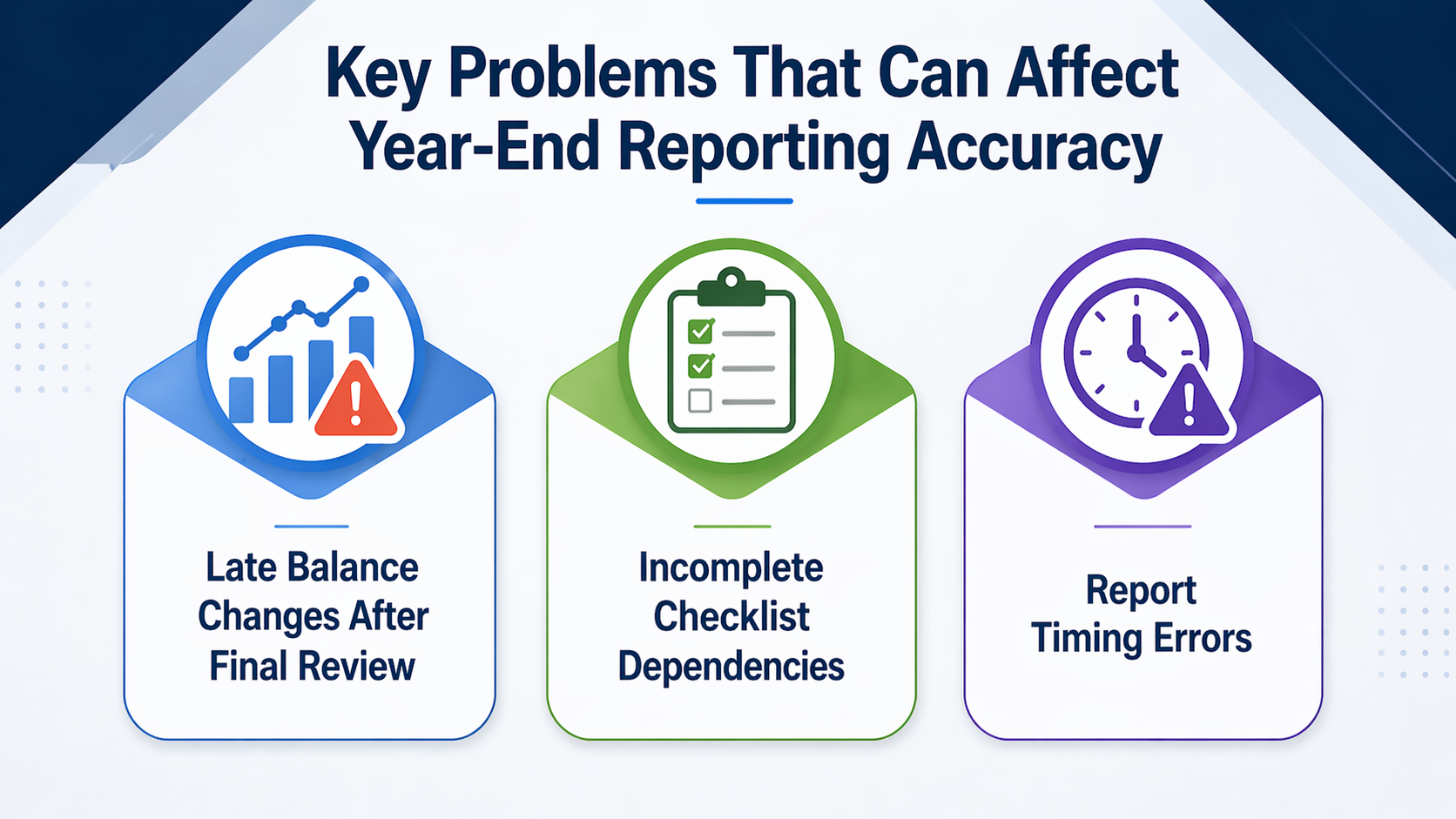
Key failure conditions must be corrected before final reporting can be trusted. Late balance changes, incomplete checklist tasks, and report timing errors can leave year-end financial reports unreliable, even when major close tasks appear complete. These issues can distort the balance sheet, income statement, and trial balance, and they often do not become visible until stakeholders have already approved outdated financial statements.

Late transaction posting, delayed accruals, or post-review journal entries can invalidate prior report validation. Financial reports should be rerun after any balance-changing activity, because statements exported before the last journal entry was posted or before currency revaluation was completed do not reflect the final reporting package. Late balance changes can occur when transactions are posted after final review is complete, when journal entries are approved after the reporting package is exported, or when checklist tasks such as currency revaluation or intercompany eliminations are completed after financial statements are distributed.
Confirm that the reporting package was refreshed after the last balance-changing activity before closing the books. Review the timestamp on exported financial statements and compare it to the timestamp of the last posted journal entry, the last completed checklist task, and the last currency revaluation run. If the reporting package was exported before any of those actions occurred, rerun the balance sheet, income statement, and trial balance to confirm that reported balances match the final state of the general ledger.
Incomplete costing, revaluation, eliminations, or unresolved close tasks can leave the reporting package incomplete even when visible close progress suggests that all work is done. Checklist dependencies often remain unresolved because they are not tracked on the period close checklist, because they require manual follow-up outside NetSuite, or because they depend on data from external systems that have not yet been imported.
Verify the Manage Accounting Periods page before proceeding with the final close to confirm that all checklist tasks are marked complete and that no unresolved dependencies remain. Review inventory costing status, currency revaluation logs, intercompany elimination journal entries, and any manual close tasks that are not tracked automatically by NetSuite. If any dependency remains incomplete, the reporting package is not ready for final sign-off, and closing the books may lock incomplete balances into the financial statement output.
Timing errors can make apparently final financial reports unreliable even when all close tasks are complete. These errors occur when reports are exported before the last journal entries are posted, when reports are run while override access still allows changes, when unresolved prior-period items affect year-end results, when reports are not rerun after checklist tasks change balances, or when stakeholders approve different report versions. Teams should address these risks before they perform a formal year-end closing.
Pre-Close Exports: Reports exported before the last journal entries are posted do not reflect the final state of the general ledger. Confirm that the reporting package was refreshed after the last balance-changing activity before distributing financial statements for sign-off.
Partial Restrictions: Reports run while override access still allows changes, which can shift after export if late entries are posted by users with override permissions. Restrict override access before final reporting begins to prevent late balance changes from invalidating prior review work.
Prior-Period Carryover: Unresolved prior-period items can affect year-end results when transactions from earlier periods are posted after the current close process begins. Review prior-period activity before closing the books to confirm that no late adjustments or corrections remain unresolved.
Missing Refresh: Reports that are not rerun after checklist tasks change balances do not reflect the final reporting package. Rerun the balance sheet, income statement, and trial balance after currency revaluation, intercompany eliminations, and inventory costing are complete to confirm that reported balances match the final state of the general ledger.
Sign-Off Drift: Stakeholders who approve different report versions create audit trail confusion and compliance risk. Confirm that all stakeholders reviewed the same reporting package and that the approved version was exported after the last balance-changing activity before closing the books.
If teams are using NetSuite to manage the close, this review should happen before they finalize the reporting package, lock period activity, and make journal entries only where corrections are still required.
Read Next:
Managing NetSuite Roles And Permissions For Secure, Scalable Access Control
How To Evaluate NetSuite System Health Beyond Performance Metrics
Year-end reporting in NetSuite requires a controlled sequence that separates report review, journal entry validation, using the period close checklist, and final sign-off. The workflow must account for accounting period states, transaction date versus posting period mismatches, retained earnings handling, and the system's functionality that automatically closes the year-end. Without that sequence, financial statements can shift after approval, retained earnings balances can appear incorrect, and closed period restrictions can arrive too late to prevent late balance changes.
Key Takeaways:
Year-end close pressure often reveals gaps in period controls, reporting workflows, and close-task coordination that slow the final validation process. Centium provides NetSuite Consulting Services to help organizations optimize NetSuite environments through expert guidance tailored to financial operations. Schedule a year-end preparation support consultation to confirm your close workflow is ready for final sign-off and audit review.
Schedule a year-end preparation support consultation to confirm your close workflow is ready for final sign-off and audit review.
NetSuite automatically closes the fiscal year when all accounting periods in the fiscal year are closed. No separate formal year-end closing action is required beyond closing each period individually. Once all periods are closed, the system posts the balance to retained earnings and resets income statement accounts to zero for the next fiscal year.
Review the balance sheet, income statement, trial balance, GL detail, aged AR, aged AP, and material journal entries before closing the year. Each report confirms a different aspect of year-end reporting accuracy, including account-level balances, net income, open items, and transaction-level detail that affects financial statement output.
NetSuite automatically posts the balance to retained earnings when the fiscal year is closed. The system transfers net income from income statement accounts to the retained earnings account, which resets income statement accounts to zero for the next fiscal year. The cumulative retained earnings balance should equal prior year retained earnings plus current year net income.
A transaction posted to the wrong posting period distorts period-specific financial reports and creates reconciliation issues during year-end review. The mismatch between transaction date and posting period affects reporting accuracy even when the transaction itself is correct. Correct the mismatch by adjusting the transaction date to match the posting period, or document the exception if the mismatch is intentional.
Transactions cannot be posted to a closed period without reopening the period, which requires administrator override access and creates audit trail complications. Locked periods restrict most transaction posting but permit certain exceptions depending on role permissions and override access. Closed periods prevent posting entirely unless the period is reopened.
Foreign currency revaluation should be completed before final reporting begins and after all expected transactions are posted. Currency revaluation affects both balance sheet accounts and net income, and skipping this step leaves financial statements incorrect in multi-currency environments. Run and review currency revaluation before closing the books to confirm that currency balances reflect current exchange rates.
1 min read
Managing a global business requires more than spreadsheets and regional accounting tools. Every time you expand into a new country, you take on new...
1 min read
ERP systems hold the most sensitive operational data in an organization: financial records, customer information, vendor contracts, payroll details,...
1 min read
According to research from Gartner, by 2027, more than 70% of recently implemented ERP initiatives will fail to fully meet their business use case...